

How to Handle Multi-Frame Mockup Templates (Diptych and Triptych) Programmatically With the Mockupanda API
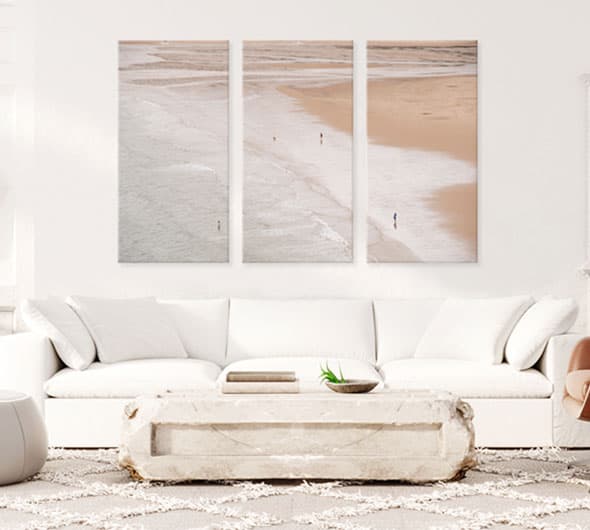
What Multi-Frame Mockup Templates Actually Are
If you've ever listed a set of two matching prints on Etsy and wished you could show them hanging side by side in a single lifestyle photo, you already understand the appeal of multi-frame mockup templates. A diptych template contains two frames, a triptych contains three, and the finished image shows all of them together in one cohesive scene, like a gallery wall display or a living room with a set of prints arranged above a sofa.
For print-on-demand sellers, these templates solve a real problem. Buyers often purchase coordinating prints as sets, and showing them as individual flat images one at a time makes it hard to communicate how the pieces look together. A single diptych mockup tells that story instantly.
When you're working inside the Mockupanda web editor, the app handles the frame assignment for you. You upload your designs and the editor places each one into its corresponding frame. But when you're working programmatically through the API, you need to understand exactly how to pass multiple artwork files into a single request so each frame gets the right image. That's what this guide covers.
The Difference Between Single-Frame and Multi-Frame Templates
A standard single-frame template has one display area, one frame, one artwork slot. You pass a single image URL and the API renders your design into that frame using either the corners (perspective warp) or uvmap (UV-mapped product surface) render mode.
A multi-frame template has two or more display areas in the same scene. Each frame is a distinct slot expecting its own artwork. The template is still a single template with a single template ID, but internally it carries multiple frames that need to be filled independently. The render engine composites all of them into one output image.
Understanding this distinction matters because the way you structure your API request changes. Instead of passing a single artwork URL, you pass an array of URLs, one for each frame in the template, in order.
Why This Matters for Print-on-Demand Automation
If you're running a catalog with dozens or hundreds of print sets, generating multi-frame mockups by hand through any web tool is genuinely painful. You'd have to open each design combination, assign images to frames, wait for the render, and download the result, repeated for every listing. For sellers with large catalogs, that's hours of work per collection launch.
The Mockupanda API is built to remove exactly this kind of friction. With a properly structured request, you can generate a diptych or triptych mockup in one to four seconds per render, and because you can send up to twelve templates in a single batch request, you can process a whole set of multi-frame mockups for a collection in just a few API calls.
How the artwork_urls Parameter Works
The core of multi-frame mockup generation in the Mockupanda API is the artwork_urls parameter inside the POST /mockups/generate endpoint. Instead of a single artwork URL, you provide an array of URLs.
Here's the logic: the API reads the number of frames in the template and maps each element of your artwork_urls array to the corresponding frame in order. Frame one gets the first URL, frame two gets the second URL, frame three gets the third URL. If you pass fewer URLs than there are frames, the remaining frames are left empty. If you pass more URLs than frames, the extras are ignored.
Structuring a Diptych Request
A diptych template has two frames. Your request needs to carry two URLs in the artwork_urls array. Here's a working example in JavaScript:
const response = await fetch('https://www.mockupanda.com/api/v1/mockups/generate', {
  method: 'POST',
  headers: {
    'Authorization': 'Bearer YOUR_API_KEY',
    'Content-Type': 'application/json'
  },
  body: JSON.stringify({
    template_id: 'your-diptych-template-id',
    artwork_urls: [
      'https://your-cdn.com/design-left.png',
      'https://your-cdn.com/design-right.png'
    ]
  })
});

const data = await response.json();
console.log(data.mockup_url);
The API returns a single rendered image URL containing both panels composited into the scene. The left design goes into frame one, the right design goes into frame two. The order you supply in the array is the order they appear in the template.
One important practical note: your artwork files must be publicly accessible URLs at request time. The API fetches them during rendering. Files hosted on a CDN, a cloud storage bucket with public read access, or any publicly reachable URL will work. The maximum file size per artwork is 20 MB, and the API accepts JPEG, PNG, GIF, and WebP formats, with transparent PNG alpha preserved in the render.
Structuring a Triptych Request
A triptych template has three frames, so your artwork_urls array needs three entries. The same ordering rule applies: index zero fills frame one, index one fills frame two, index two fills frame three.
import requests

response = requests.post(
    'https://www.mockupanda.com/api/v1/mockups/generate',
    headers={
        'Authorization': 'Bearer YOUR_API_KEY',
        'Content-Type': 'application/json'
    },
    json={
        'template_id': 'your-triptych-template-id',
        'artwork_urls': [
            'https://your-cdn.com/design-panel-1.png',
            'https://your-cdn.com/design-panel-2.png',
            'https://your-cdn.com/design-panel-3.png'
        ]
    }
)

print(response.json()['mockup_url'])
Render times for multi-frame templates will generally fall in the two to four second range for standard output, and three to five seconds if you're requesting maximum output width at 4000px. Simple templates with clean compositing can come in at one to two seconds even for diptychs.
Actionable takeaway: Always confirm how many frames a template contains before building your request. If you're unsure, use the GET /templates endpoint to inspect the template metadata, or test with a single request before running bulk operations.
Finding the Right Multi-Frame Templates
Before you can generate diptych and triptych mockups programmatically, you need the right template IDs. The GET /templates endpoint is your discovery layer, and it has filtering capabilities that make finding multi-frame templates straightforward.
Using the Hybrid Semantic Search
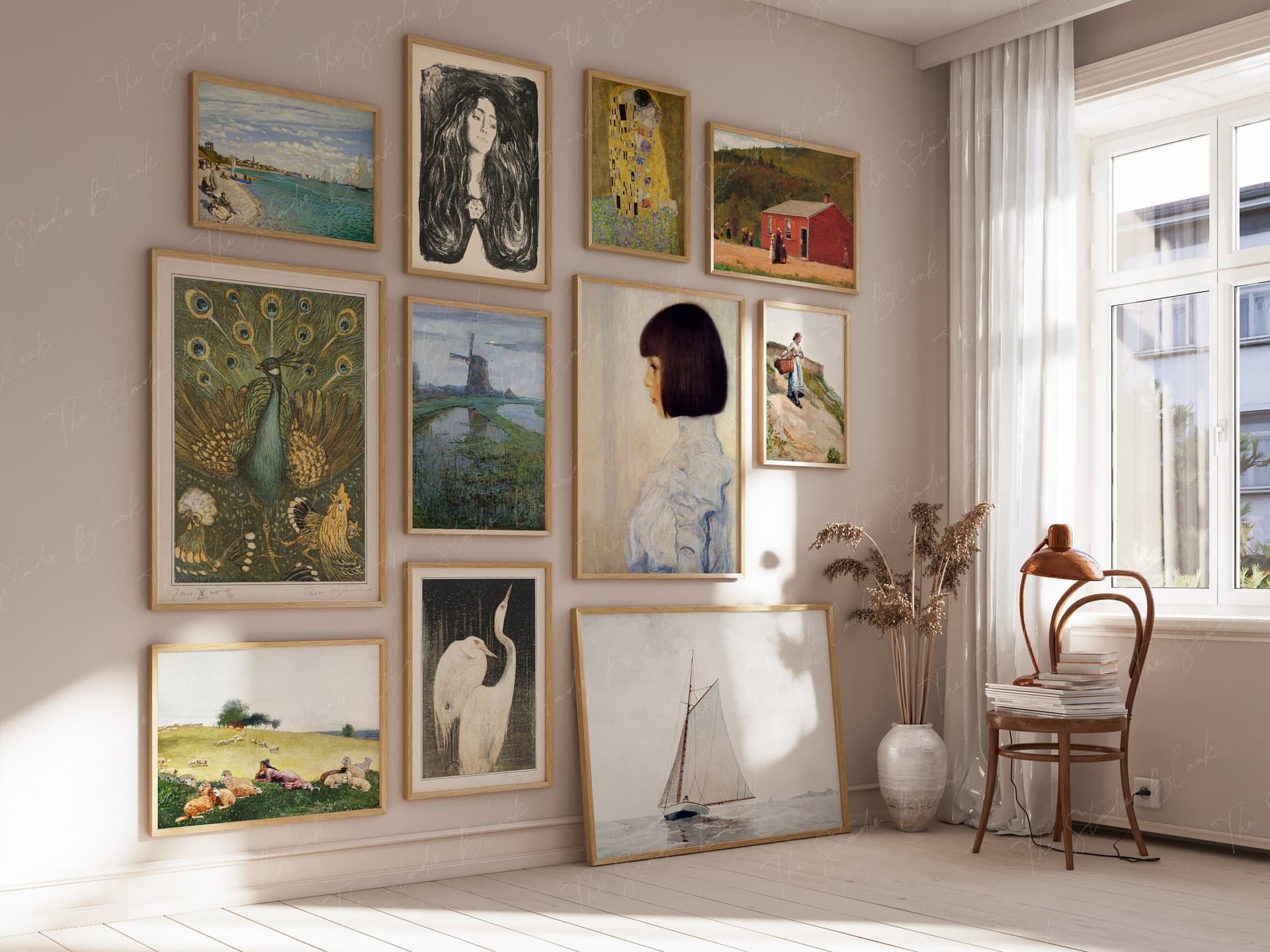
The GET /templates endpoint supports a q parameter for hybrid semantic search. You can use natural language queries to surface templates relevant to what you're building. For multi-frame templates specifically, searches like q=diptych, q=triptych, q=set of two prints, or q=gallery wall three panels will return relevant results from the template library.
curl -X GET 'https://www.mockupanda.com/api/v1/templates?q=diptych' \
  -H 'Authorization: Bearer YOUR_API_KEY'
The response includes template metadata you can inspect to confirm frame count before using a template ID in a generate request. This step is worth doing once when you're setting up a new workflow, even if your template IDs are already known, because it confirms you're working with the right template structure.
Filtering by Aspect Ratio and Artwork Matching
For print-on-demand sellers, aspect ratio consistency across a set matters a lot. If you're generating diptych mockups for a collection of 5x7 prints, you want templates where each frame is sized for a 5x7. The API supports aspect-ratio and artwork-matching filters on the GET /templates endpoint, so you can narrow results to templates that fit your exact artwork dimensions.
This is especially useful when your catalog spans multiple standard print sizes and you want to automate template selection based on the artwork you're processing, rather than hardcoding template IDs for each size variant.
Saving Curated Sets for Reuse
Once you've identified the multi-frame templates you want to use regularly, save them as a Set inside Mockupanda. Sets are named, ordered groups of templates you can reference with a single set_id via the API. If your standard workflow involves generating a diptych and a triptych lifestyle mockup for every new set of prints you release, you could save both templates in a set and render the whole set in one batch call.
The GET /sets/{id} endpoint returns the templates in a set in their saved order. Your rendering loop can read the set, identify how many frames each template requires, and build the appropriate artwork_urls array dynamically.
Actionable takeaway: Run a discovery pass with the GET /templates endpoint using semantic search queries before hardcoding template IDs. Filter by aspect ratio to find multi-frame templates that match your artwork dimensions, then save your curated selection as a Set for reuse.
Building a Batch Workflow for Multi-Frame Mockups
The real power of the Mockupanda API for multi-frame mockups shows up when you combine the artwork_urls parameter with the batch mode. A single POST /mockups/generate request can include up to twelve template IDs, and each template in that batch can independently receive its own artwork_urls array.
Handling Multiple Design Combinations in One Request
Imagine you're launching a new botanical print collection. You have three designs (A, B, and C) and you want to generate diptych mockups for every two-design pairing: A+B, A+C, and B+C. In batch mode, you'd structure a request where each template entry in the batch carries its own artwork_urls pair.
Here's a simplified Node.js example showing three diptych renders in one batch:
const body = {
  templates: [
    {
      template_id: 'diptych-template-id',
      artwork_urls: [
        'https://your-cdn.com/design-a.png',
        'https://your-cdn.com/design-b.png'
      ]
    },
    {
      template_id: 'diptych-template-id',
      artwork_urls: [
        'https://your-cdn.com/design-a.png',
        'https://your-cdn.com/design-c.png'
      ]
    },
    {
      template_id: 'diptych-template-id',
      artwork_urls: [
        'https://your-cdn.com/design-b.png',
        'https://your-cdn.com/design-c.png'
      ]
    }
  ]
};
You can mix diptych and triptych templates in the same batch request, as long as you stay within the twelve-template-per-request limit. The API processes each template independently, so a triptych and a diptych in the same batch each get their own artwork_urls array resolved correctly.
Error Handling and Failed Requests
Failed requests cost zero credits, which is a meaningful protection when you're running bulk operations. If a render fails because an artwork URL is unreachable, a template ID is invalid, or the file exceeds the 20 MB limit, you're not charged for that attempt.
For production workflows, build retry logic for failed renders. A simple exponential backoff is usually enough: wait two seconds, retry, wait four seconds, retry once more. The API allows up to 100 requests per minute and 10,000 requests per day per API key, so you have meaningful headroom for high-volume catalog generation without hitting rate limits in a typical workflow.
Also worth knowing: the API wallet operates on a prepaid credit model where one credit equals one mockup at $0.01. Credits never expire, so any unused credits from one batch carry forward indefinitely. You can top up in amounts from $1.00 to $1,000.00 per transaction through the Dashboard.
Monitoring Credit Usage for Large Runs
For large catalog generation runs, it's good practice to check your credit balance before starting. The GET /billing/wallet endpoint returns your current balance so you can confirm you have enough credits before triggering a large batch. At $0.01 per mockup, generating 500 multi-frame mockups costs $5.00, so the math is easy to work with.
Actionable takeaway: Structure your batch requests to group related design combinations together, mix diptych and triptych templates in the same request when possible, and always check your wallet balance before large runs using GET /billing/wallet.
Quality and Output Considerations for Multi-Frame Renders
Because multi-frame templates composite multiple artworks into a single scene, the output quality depends on how well each individual artwork renders into its frame. There are a few things worth paying attention to when preparing artwork for programmatic multi-frame generation.
Pixel-Perfect Rendering Without Distortion
One of the core commitments of Mockupanda is that artwork stays pixel-perfect through rendering, with no AI distortion or blurring. This matters especially for multi-frame templates where the frames sit side by side and any inconsistency in rendering quality between frames would be immediately obvious.
The corners render mode applies perspective warp to seat your artwork naturally into angled or tilted frames in a scene. The uvmap mode handles curved or irregular product surfaces. For wall art diptychs and triptychs displayed flat or at slight angles, the corners mode is typically the right choice and delivers the sharpest results.
Output Resolution and Format
The default output width is 2000px, which is appropriate for most Etsy listing images. If you're generating mockups for high-resolution print materials or large-format display, you can request up to 4000px output width, though render times will be in the three to five second range at that size.
Outputs are delivered as JPEG files at approximately 90% quality. For a diptych or triptych lifestyle mockup, this is more than sufficient for Etsy listing purposes. If you need lossless output or transparent backgrounds, the current API output format is worth factoring into your workflow planning.
Preparing Your Artwork Files for Multi-Frame Requests
For the cleanest results in multi-frame templates, make sure each artwork file in your artwork_urls array is sized and cropped to match the intended frame dimensions as closely as possible. If your diptych template frames expect square artwork and you pass landscape-orientation images, the render engine will fit them as best it can, but you may not get the result you're expecting.
A quick QA step worth adding to any automated workflow: generate one test render with the exact artwork and template combination before running a full batch. Review the output URL, check that each frame filled correctly and the composition looks right, then proceed with the full run. This costs one credit ($0.01) and can save you from generating hundreds of unusable mockups.
Actionable takeaway: Test each new template and artwork combination with a single render before batch processing. Use the default 2000px output for Etsy listings and reserve 4000px for special use cases where the slower render time and larger file size are justified.
Practical Workflow: Automating a Full Collection Launch
Pulling all of this together into a real workflow, here's how a print-on-demand seller or developer might structure automated multi-frame mockup generation for a full collection launch.
Step 1: Catalog Your Design Files and Template IDs
Start with a structured data file, a JSON array or a spreadsheet, that maps each design combination to the template IDs you want to render. For a collection of six botanical prints that you want to show in every possible diptych pairing, that's fifteen pairs, each needing a diptych template render.
Your data structure might look like:
[
  { "pair": ["design-a", "design-b"], "templates": ["diptych-id-1", "diptych-id-2"] },
  { "pair": ["design-a", "design-c"], "templates": ["diptych-id-1", "diptych-id-2"] }
]
Step 2: Upload Artwork to a Publicly Accessible Location
Before running the API, all artwork files need to be at publicly accessible URLs. Upload your PNG files to an S3 bucket, a Cloudflare R2 bucket, or any CDN that returns public URLs. Confirm each URL resolves successfully before building your request.
Step 3: Batch and Execute Requests
Group your renders into batches of up to twelve templates per request, respecting the twelve-template limit. For fifteen diptych pairs each needing two template variants, that's thirty renders total, easily handled in three batch requests.
Loop through your batches, call POST /mockups/generate for each, collect the returned mockup URLs, and store them alongside the design pairing metadata in your catalog. The whole operation for thirty renders should complete in under two minutes at typical render speeds.
Step 4: Review, Download, and List
With your mockup URLs collected, you can download the images programmatically or review them in a browser before downloading. Mockupanda outputs are delivered as JPEGs ready for Etsy or Shopify upload. Multiple variations can be downloaded as a ZIP through the web app, or your automation script can fetch each URL directly.
Actionable takeaway: Treat your design-to-template mapping as structured data from the start. Build your automation around that data structure and you'll be able to rerun or update the workflow for future collections without rewriting any logic.
Getting Started With Multi-Frame Mockup Generation
Multi-frame mockup templates are one of the most powerful tools available to print-on-demand sellers who work with coordinating print sets, and the Mockupanda API makes generating them at scale genuinely practical. The artwork_urls parameter is the key: pass an ordered array of artwork URLs matching the number of frames in your chosen template, and the render engine handles the rest.
The combination of pixel-perfect rendering, batch support for up to twelve templates per request, and a straightforward credit model at $0.01 per mockup means you can automate an entire collection's worth of diptych and triptych mockups for a few dollars, in a few minutes, with a script you can rerun for every future collection.
If you haven't explored the API yet, the Mockupanda developer docs include code samples in cURL, JavaScript, Python, Node.js, and PHP. The API key lives in Dashboard under API Keys, and the credit wallet can be topped up starting at $1.00 so you can test without committing to a large balance upfront.
Multi-frame mockups are one of those small presentation details that genuinely move the needle for conversion rates on coordinating print sets. Getting that workflow automated means you can do it consistently for every collection, not just when you have time to do it by hand.
Keep reading

How to Upload a Custom PSD Smart Object Template and Expose It as an API-Renderable Resource in Your POD Workflow

How to Manage Multiple Mockupanda API Keys Across Dev, Staging, and Production Environments Without Leaking Credentials
