How to Build a Consistent Visual Identity Across 100+ Etsy Listings Without Manually Editing Every Mockup
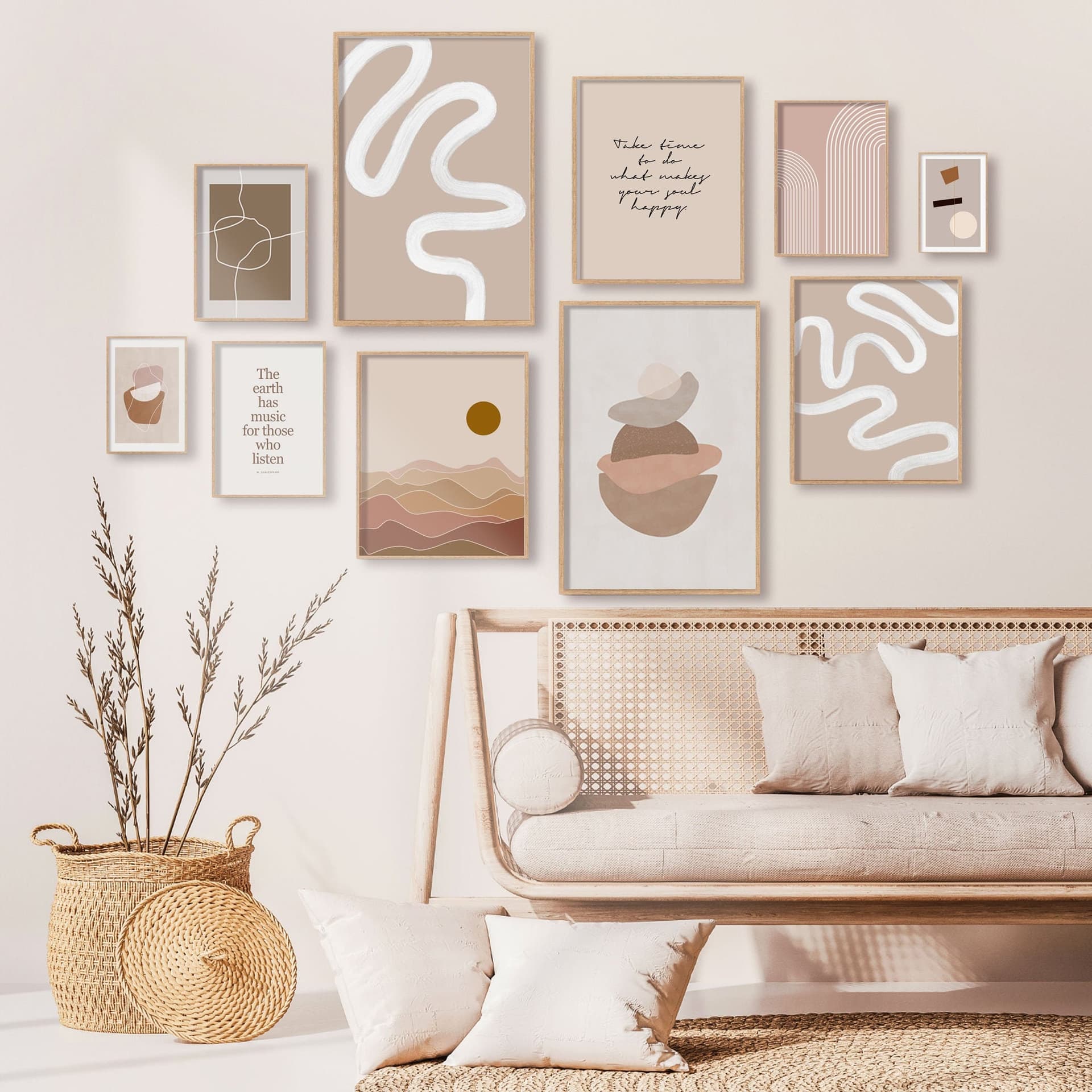
When a potential buyer lands on your Etsy shop, they are not just looking at one listing. They are scanning your entire storefront in about three seconds, and in those three seconds they are deciding whether your shop feels trustworthy, premium, and worth their time.
If your mockups are inconsistent, some dark and moody, some bright and airy, some with frames and some without, that split-second impression suffers. You might have the best digital prints on the platform, but if your shop looks like a jumble sale, buyers will click away.
The problem most sellers run into is that building visual consistency sounds like a massive editing project. And when you have 100, 200, or even 300+ listings, the idea of manually touching every single mockup is exhausting enough to make you put it off indefinitely.
Here is the good news: you do not have to do it manually. With the right workflow, a clear style guide, and tools built for bulk mockup creation, you can create and maintain a visually consistent shop at scale without burning out.
Let's break down exactly how to do it.
Start With a Visual Style Guide Before You Touch a Single Image
Most sellers skip this step and it is the main reason their shops end up looking inconsistent. A style guide is not a fancy design document. It is just a simple set of decisions you make once, so you do not have to remake them every time you create a new listing.
Define Your Aesthetic in Three Words
The fastest way to nail your visual direction is to describe your shop's feel in three adjectives. Are you going for "minimal, Scandinavian, calm"? Or "bold, colorful, maximalist"? Or "cozy, rustic, warm"?
Those three words become your filter. Every mockup decision, the room style, the lighting, the props, the frame color, gets run through that filter. If it does not match, you do not use it.
Write those words down somewhere you will see them when you are building listings. Seriously, put them in a sticky note on your computer. It sounds trivial but it prevents the drift that happens when you are tired and just grabbing whatever mockup looks decent.
Pick Your Core Mockup Style and Stick With It
Decide on two or three core mockup environments and use them consistently across your shop. This might be:
A white wall with a simple frame
A styled living room with natural light
A flat lay on a linen surface
You do not need ten different room styles. Variety within consistency means you can use the same three or four templates across all your listings while still keeping things visually interesting by changing the artwork inside them.
Also decide on your color palette for any text overlays or graphic elements. Pick two or three complementary colors and use them throughout. If you ever add titles or descriptive text to your listing images, those colors should be the same every single time.
Actionable takeaway: Before your next batch of listings, write down your three aesthetic words, your two to three approved mockup styles, and your text overlay color palette. Save it as a simple document you can reference every time.
Understand Why Manual Editing at Scale Is a Losing Game
If you have been running an Etsy print shop for a while, you have probably experienced the manual editing spiral. You find a mockup you love, you spend twenty minutes placing your artwork inside it, adjusting the sizing, fixing the perspective, exporting, and repeat. Multiply that by 150 listings and you have just spent fifty hours on mockup creation alone.
And when you want to refresh your shop visuals? You start over.
The Hidden Cost of Inconsistency
Beyond the time issue, manual editing introduces inconsistency almost by accident. You might change the brightness slightly from one session to the next. You might use a slightly different frame style because the one you used last month is not in your downloads folder anymore. Small variations compound across hundreds of listings until your shop looks like it was built by five different people.
Buyers notice this, even if they cannot articulate why. They just feel that something is off, and that feeling erodes trust.
Why Bulk Workflows Change Everything
Bulk mockup generation flips the model entirely. Instead of working on one listing at a time, you upload your artwork files in batches, apply a consistent template, and generate dozens of finished mockups in the time it used to take you to do three or four.
This is not just a time-saver. It is a consistency enforcer. When every mockup in a batch is generated from the same template with the same settings, your shop automatically looks cohesive. The visual identity is baked into the process rather than depending on your ability to remember what you did last Tuesday.
Actionable takeaway: Track how long you currently spend creating mockups for ten listings. Multiply that by your total listing count. That number is your baseline. Your goal is to cut it by at least 70% using a bulk workflow.
Build Your Template Library the Smart Way
A template library is your long-term asset. Once it is built, you can use it indefinitely. Every new product you launch slots into existing templates, and your shop stays consistent without any extra effort.
How Many Templates Do You Actually Need
Less than you think. For a shop with 100+ listings, you can maintain strong visual consistency with as few as three to five core templates. Here is a practical breakdown:
One primary lifestyle mockup (your hero image template)
One clean, minimal mockup for buyers who want to see the print clearly
One contextual mockup that shows scale (artwork next to furniture)
One optional text overlay template for promotional images or collection banners
Five templates, applied consistently, will make your shop look more professional than fifty randomly chosen mockups ever could.
Using a Tool Built for Print Sellers
This is where the choice of tool matters enormously. Generic design tools like Canva or Photoshop can technically do mockups, but they are not built for the specific workflow of a print-on-demand seller who needs to process artwork in bulk.
Mockupanda was built specifically for this use case. As a tool created by a product designer who was frustrated with the limitations and costs of existing options, it focuses on fast bulk mockup generation with the kind of outputs that actually work for Etsy and print-on-demand stores. You upload your artwork, select your template, and generate professional mockups in bulk, no design skills required.
The difference between a generic tool and one built for your workflow is not just speed. It is the fact that the output is optimized for what Etsy buyers actually respond to, and the process does not require you to learn a new piece of software from scratch.
Naming and Organizing Your Templates
Once you have your templates, label them clearly. "Living Room Light Frame", "White Wall Minimal", "Linen Flat Lay" are better names than "Template 1", "Template 2". When you are working fast, descriptive names mean you grab the right template every time without second-guessing.
Organize your templates in a dedicated folder that you back up somewhere cloud-based. Templates are an investment. Losing them to a hard drive failure and having to rebuild them is a painful but avoidable problem.
Actionable takeaway: Audit your current mockup approach and identify the three to five visual environments that best represent your shop aesthetic. These become your permanent template library.
Apply Consistency to Your Listing Structure, Not Just Images
Visual identity is not only about your mockup images. It is about the whole first impression of a listing, and that includes how your images are ordered and what each one communicates.
The Anatomy of a Consistent Listing Image Set
For a digital print listing, a consistent structure might look like this:
Hero lifestyle mockup (the first image the buyer sees)
Clean presentation mockup showing the artwork clearly
Scale reference mockup (artwork in a room context)
Close-up detail image showing print quality or texture
Informational graphic (size options, file types, or instant download callout)
When every listing follows this same structure, buyers who browse multiple listings in your shop get a familiar, comfortable experience. They know what to expect and where to find the information they need. That familiarity builds trust.
Adding Text Overlays Without Creating Chaos
Text overlays, those images that include your shop name, a collection title, or a product descriptor, are a great tool for branding. But they are also one of the easiest ways to introduce visual inconsistency if you are not disciplined about it.
Decide on one font pairing and stick with it across all your text overlay images. Decide on your overlay text color and opacity. Decide on where text sits in the image, top left, bottom center, wherever feels right for your aesthetic.
Mockupanda supports text overlays directly within its mockup generation workflow, which means you can add branded text elements at the same time as you are generating your bulk mockups, without needing a separate design step in another tool. That single workflow reduces the chance of inconsistency creeping in.
Actionable takeaway: Create a written template for your listing image order (image 1 does X, image 2 does Y) and apply it to every new listing you create from today forward. Then go back and update existing listings in batches.
Refresh Your Shop Visuals Without Starting From Scratch
One of the real benefits of a systematic, template-based approach is that when you want to refresh your shop, you can do it efficiently. Seasonal refreshes, style updates, and aesthetic pivots become manageable projects instead of overwhelming overhauls.
When and Why to Refresh
You do not need to refresh constantly. In fact, changing your shop visuals too frequently can hurt consistency. But there are good reasons to do a seasonal or annual refresh:
Your shop aesthetic has evolved and your early listings look dated
You want to A/B test different mockup styles to see what converts better
A new product category requires a slightly different visual approach
Your target audience has shifted and you want to speak to a different buyer
A refresh does not mean throwing everything away. It means updating your templates and then running your existing artwork through the new templates in bulk.
Running a Bulk Refresh Without Chaos
Here is a practical approach to refreshing 100+ listings without losing your mind:
Start with your top twenty bestselling listings. Update those first since they get the most traffic and have the biggest impact on your conversion rate. Generate new mockups in bulk using your updated templates, replace the images in those listings, and monitor performance for two to four weeks before rolling the update out to the rest of your shop.
This staged approach means you are not doing all the work upfront only to discover the new style does not convert as well as the old one.
Actionable takeaway: Schedule a visual audit of your shop every six months. Look at your listings as a grid and ask: does this look like one cohesive brand? If not, identify the three biggest inconsistencies and address those first.
Scale Your Shop Without Scaling Your Workload
The whole point of building a system for visual consistency is so that growth does not mean proportionally more work. When your templates are set and your workflow is tight, adding fifty new listings to your shop should not take fifty times longer than adding one.
Building a Repeatable Launch Process
Create a simple launch checklist for every new product. Something like:
Prepare artwork files in the correct dimensions
Upload to your bulk mockup tool and select from approved templates
Generate mockups in bulk
Add text overlays if applicable
Download and organize by listing
Upload to Etsy following your standard image order
When this checklist becomes a habit, new listing creation feels mechanical in the best possible way. There is no decision fatigue about which mockup to use or how to style the image. The system handles that.
Let Automation Do the Heavy Lifting
If you are running a high-volume print-on-demand shop, manual uploads will eventually become your bottleneck even with bulk mockup generation. This is where API integrations come into play.
Mockupanda's API allows you to integrate mockup generation directly into your product workflow. If you are managing a large catalog or building out an automated process for handling new designs, the API means mockups can be generated programmatically without you being in the loop for every single product. That kind of automation is the difference between a shop that scales and one that stalls.
Protecting Your Visual Identity as You Grow
As your shop grows and you might start delegating some tasks to a virtual assistant or a team member, your style guide becomes even more important. A clear document that says "use these templates, these colors, this image order" means anyone helping you can maintain your visual standards without you having to review every mockup individually.
Treat your style guide as a living document. Update it when you make a deliberate visual decision, like adding a new template or changing your text overlay font. That way it is always an accurate reflection of your current brand.
Actionable takeaway: Write out your launch checklist this week and run your next batch of listings through it. Time yourself. Then look for the steps that take the longest and ask whether a better tool or a clearer process could cut that time in half.
Your Visual Identity Is Your Most Valuable Intangible Asset
It is easy to focus on the tangible parts of your Etsy business: the designs, the SEO, the pricing, the reviews. But your visual identity is doing quiet, continuous work on your behalf every time someone lands on your shop.
A consistent, professional aesthetic signals that you are a serious seller. It justifies premium pricing because it looks like a premium product. It builds the kind of subconscious trust that turns browsers into buyers and first-time buyers into repeat customers.
The best part is that you do not need to be a designer to build this. You need a clear set of decisions, a handful of solid templates, and a workflow that lets you apply those templates at scale. Tools like Mockupanda exist precisely to remove the friction from that process, so you can spend your time on the parts of your business that actually require your creativity and judgment.
Start with your style guide. Build your template library. Automate the repetitive parts. And then watch what happens when every listing in your shop tells the same cohesive visual story.
Keep reading
The Fastest Way to Re-Mockup Your Entire Etsy Shop When You Rebrand Without Touching Each Listing Individually
How to Use Text Overlays on Mockup Images to Run Etsy Sales and Promotions Without Updating Your Listing Photos