The Batch Mockup Checklist Every Print-on-Demand Seller Needs Before a Holiday Sales Season
The holiday sales season does not wait for you to feel ready. Black Friday arrives on schedule, Christmas gift-buying peaks whether your listings look polished or not, and the sellers who prepared their mockups weeks in advance are the ones quietly racking up sales while everyone else is scrambling to update product images at midnight.
If you sell digital prints, wall art, or any kind of print-on-demand product on Etsy or Shopify, your mockups are doing some very heavy lifting right now. Buyers are making fast decisions under pressure. A blurry thumbnail, an inconsistent listing style, or a mockup that looks nothing like the season can cost you a sale you never even knew you lost.
This checklist is designed to help you get ahead of all of that. Work through it in the weeks before the holiday rush, and you will enter the peak season with a mockup library that is complete, consistent, and ready to convert.
Step One: Audit What You Already Have
Before you batch create a single new mockup, you need to know exactly what you are working with. A lot of sellers skip this step and end up with duplicates, outdated styles, and missing images scattered across their listings. The audit takes an hour or two but it saves you from re-doing work later.
Review Every Active Listing's Mockup Quality
Go through each of your active listings and score them honestly. Ask yourself: does this mockup look like it belongs in a professional shop? Is the resolution high enough for desktop and mobile? Does the product look appealing in context, or does it look like an afterthought?
Make a simple spreadsheet with three columns: the listing name, the current mockup status (good, needs updating, missing), and any notes on what needs to change. This gives you a clear picture of the work ahead and helps you prioritize.
Pay special attention to your best-selling products. If a listing is already driving traffic, a better mockup can meaningfully increase its conversion rate during the holiday spike. That is the highest-leverage place to put your effort first.
Check for Seasonal Relevance
A mockup that worked beautifully in July does not necessarily work in November. Buyers browsing for Christmas gifts want to see products styled in ways that feel warm, festive, and giftable. If your current mockups show a minimalist print hanging in a bright summer living room, that might create a small but real disconnect for a holiday buyer.
Flag any listings where the mockup styling feels seasonally off. You do not need to overhaul everything, but adding one or two holiday-adjacent mockup variants to your top sellers is worth the time. Think cozy interiors, warm lighting, rich textures, and styling that feels like a gift someone would actually want to open.
Identify Gaps in Your Mockup Coverage
Some products in your shop may only have one mockup image. During the holiday season, buyers are comparing dozens of options. More high-quality images give your listing more real estate in their decision-making process and signal that you are a serious seller.
Note which listings have only one image, which are missing lifestyle mockups entirely, and which could benefit from a size-reference or room-context shot. These gaps are your to-do list for the batch creation phase.
Actionable takeaway: Complete your audit before touching any design software. A prioritized list beats a chaotic to-do pile every time.
Step Two: Organize Your Design Files
Nothing kills batch mockup momentum like hunting for the right file at the wrong moment. Before you start generating mockups at scale, get your design assets into a clean, findable structure.
Create a Folder System That Matches Your Shop Structure
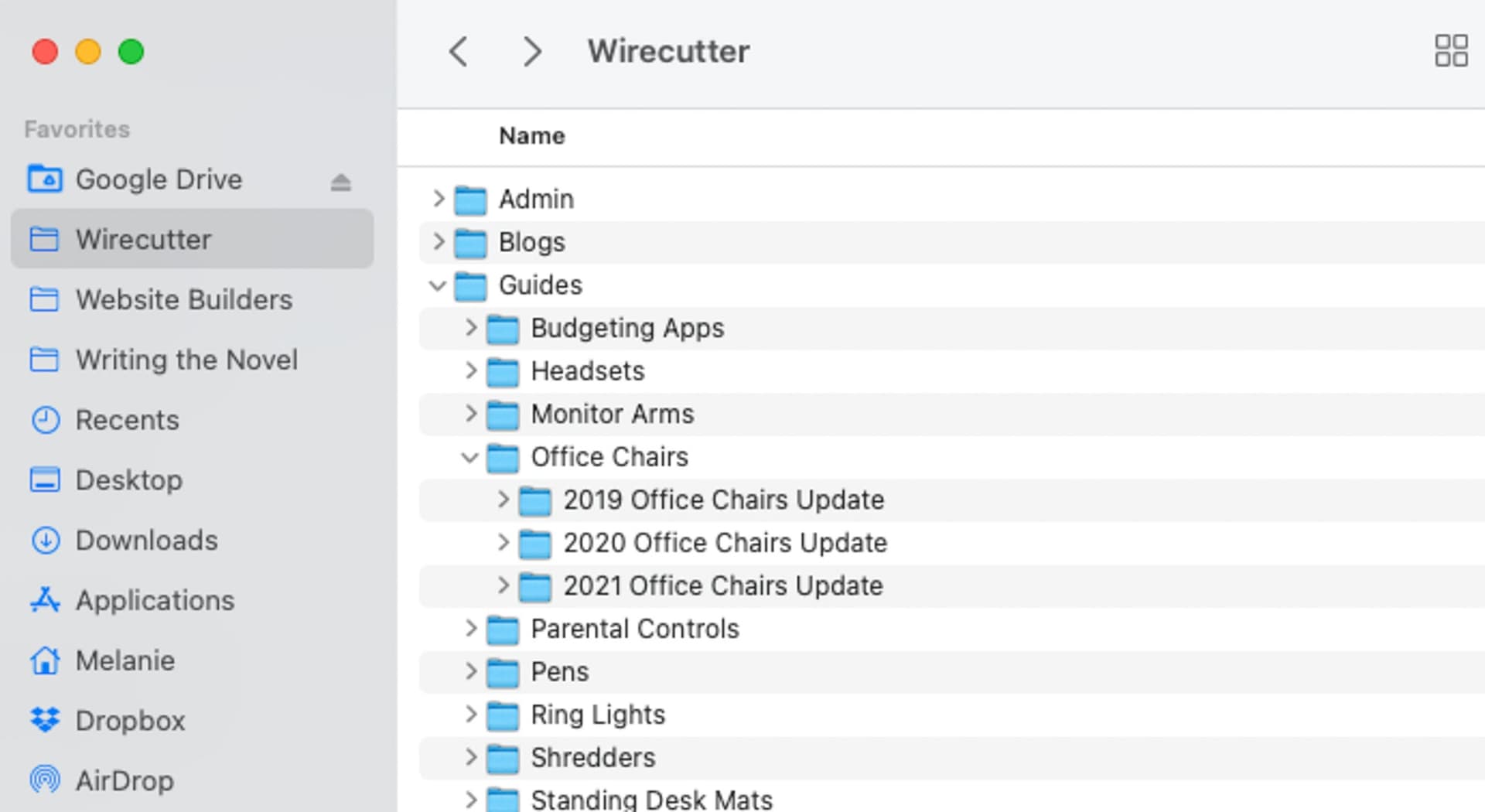
Organize your design files to mirror the way your shop is organized. If you sell by collection, have a folder per collection. If you sell by theme or style, organize it that way. The goal is to be able to open a folder and immediately know which designs need mockups and which are already done.
Inside each collection or theme folder, keep a subfolder for raw design files, one for export-ready PNGs or high-resolution files, and one for completed mockups. This three-layer structure is simple and scales well as your shop grows.
If your file naming is inconsistent, now is the time to fix it. A file called "final_v3_USE THIS ONE.png" is a liability when you are batch processing dozens of images. Rename files with clear, descriptive names that include the product name and any relevant dimension or variant information.
Prepare Your Export-Ready Files
Mockup generators, including Mockupanda, work best when you feed them clean, properly sized files. Before you start any batch work, go through your design library and export everything in the format and resolution your mockup tool requires.
For most digital print mockup workflows, you want high-resolution PNG files with a transparent background where applicable. Check the aspect ratios match the frames or products you plan to use as mockup templates. A portrait design dropped into a square mockup template is going to look wrong, and catching that before you batch process 50 images saves you a lot of cleanup time.
Build a Simple Tracking Sheet
A lightweight tracking sheet keeps your batch session from becoming chaotic. List every design that needs a mockup, check it off when the mockup is generated, and note the mockup templates used. This is especially useful if you are working across multiple sessions or if you want to replicate the same process next season without starting from scratch.
Actionable takeaway: Spend 30 minutes organizing your files before your first batch session. You will recoup that time three times over.
Step Three: Choose and Prepare Your Mockup Templates
Your mockup templates are the visual backbone of your listings. Choosing the right ones for the holiday season, and getting them ready before you batch, is one of the highest-impact decisions you will make in this process.
Select Templates That Feel Holiday-Ready
You do not need a completely separate mockup style for the holidays. What you do need is templates that do not actively work against a holiday mood. Look for mockup scenes that include warm-toned interiors, soft lighting, natural textures like wood or linen, and styling that reads as cozy and inviting.
If you have been building toward a consistent signature mockup style for your shop, you can extend that style into holiday-appropriate scenes rather than starting from scratch. This keeps your brand look intact while making your listings feel seasonally relevant.
Aim to have two to three template options per product type. One clean, minimal lifestyle shot. One room-context image that shows the product in use. And optionally one that leans more festive or gift-oriented if your product warrants it.
Test Your Templates Before Batch Processing
Run one design through each template before you commit to batch processing your entire catalog. Check that the positioning looks natural, the resolution holds up at thumbnail size, and the overall image feels like something a buyer would click on.
This test run is especially important if you are using templates you have not used before or if you made changes to your standard template setup. Discovering a misalignment issue after generating 100 mockups is frustrating and wasteful. Discovering it during a one-off test takes two minutes to fix.
Set Up Your Bulk Processing Queue
Once your templates are chosen and tested, set up your bulk processing queue before you start. In Mockupanda, this means organizing your designs into the correct upload order and matching them to the right template for each product type. A few minutes of setup here makes the actual generation process much faster and reduces errors.
If you have not yet built a repeatable system for this kind of work, a streamlined batch mockup workflow will help you move from design file to finished mockup in under five minutes per product, which matters a lot when you have a large catalog to process.
Actionable takeaway: Never start a batch run without a test mockup. One test image per template, every time.
Step Four: Run Your Batch Sessions Strategically
With your files organized and templates ready, it is time to actually generate your mockups. Running batch sessions strategically, rather than in one panicked all-nighter, produces better results and keeps you sane.
Prioritize by Revenue Potential
Start your batch work with your highest-revenue products. Your bestsellers, your highest-priced items, and any new holiday-specific designs you are planning to launch should come first. These are the listings that will drive the most revenue during the holiday peak, and having polished mockups ready for them is the most direct path to better conversion.
Once your top-priority listings are covered, work through the rest of your catalog in order of traffic volume or price point. If you run out of time before covering everything, you want your most important listings finished, not the least important ones.
Batch by Product Type, Not by Collection
It is tempting to process everything collection by collection because that is how your shop is organized. But for efficiency, it is faster to batch by product type. Process all your 8x10 prints together, then all your 5x7 prints, then your square formats, and so on.
This works because each product type typically uses the same mockup templates. Switching between templates mid-batch adds friction and increases the chance of mismatches. Grouping by product type lets you stay in one template setup for longer stretches, which is faster and more consistent.
For high-volume shops, this kind of efficient bulk mockup approach is the difference between finishing before the holiday rush and still scrambling the week of Black Friday.
Schedule Your Sessions in Advance
Batch mockup work is not something you want to do in stolen 15-minute windows. Block dedicated time in your calendar, at least two to three hours per session, where you can focus without interruption. You will move faster, make fewer mistakes, and end each session with a meaningful chunk of work completed.
Aim to have your full mockup library ready at least two weeks before your first major holiday sale event. That gives you buffer time to upload everything, write or update your listing copy, and handle any technical issues before the traffic peaks.
Actionable takeaway: Block your calendar for batch sessions the same way you would block time for any important business task. Treat it as non-negotiable.
Step Five: Optimize Your Mockups for Listing Performance
Generating mockups is only half the work. How you use them in your listings directly affects whether they convert.
Lead with Your Strongest Image
Your first listing image is what buyers see in search results. It needs to work at thumbnail size, communicate what the product is instantly, and make someone want to click. This is not the place for abstract styling or overly busy backgrounds.
For most digital print sellers, a clean lifestyle shot with the artwork clearly visible against a simple background performs best as the lead image. Save the more atmospheric room scenes for positions two and three. Test this with a few listings during the pre-holiday period and see what your click-through data tells you.
Be Clear About What the Buyer Is Getting
Holiday buyers are often shopping quickly and may be less familiar with digital downloads than your regular customers. Make sure your mockups, especially your lead image, do not create confusion about whether they are buying a physical print or a digital file. This is one of the most common sources of refund disputes for digital print sellers, and it spikes during the holiday season when gift-buyers are involved.
If your mockup shows a framed print hanging on a wall, make sure your listing title and description make it crystal clear that the frame is not included and the product is a digital download. Some sellers add a simple text overlay to one of their mockup images for this purpose, which removes any ambiguity.
Use Consistent Styling Across Collections
If a buyer clicks from one of your listings to your shop homepage and sees a chaotic mix of mockup styles, it undermines trust. During the holiday season, when buyers are looking for shops they feel confident purchasing from, visual consistency is a meaningful trust signal.
Make sure the mockups you generate for any new holiday designs match the look and feel of your existing listings. Same color palette feel, similar background tones, consistent frame or product styling. Your shop should look like it was curated by someone who thinks about presentation, because that is exactly the kind of seller holiday gift-buyers want to buy from.
Actionable takeaway: After uploading your new mockups, view your shop as a buyer would. Open your shop homepage and see if it feels cohesive. If something looks out of place, fix it before the traffic arrives.
Step Six: Prepare for Post-Batch Maintenance
The holiday sales season is not a one-time event. It runs from early November through early January, and your mockup needs may evolve across that window. Building a light maintenance plan now means you are not caught flat-footed if something changes mid-season.
Keep a Template of Your Core Setup
Document exactly which mockup templates you used for each product type during your batch run. Write down the template names or IDs, the export settings you used, and any adjustments you made. This reference document means you can recreate any mockup quickly if you need to add a new design mid-season without doing detective work.
This documentation is also the foundation for next year's holiday prep. Starting with last year's setup and improving on it is much faster than starting from scratch.
Plan for Post-Christmas and New Year Listings
The holiday season has multiple distinct buyer moments. Pre-Christmas buyers are shopping for gifts. Post-Christmas buyers are spending gift cards and looking for deals. New Year buyers are in a self-improvement, fresh-start mindset. Each of these audiences responds to slightly different product presentation.
If you have seasonal designs that work for New Year (motivational prints, goal-setting art, fresh aesthetic pieces), prepare a small batch of mockups in a clean, energized style to refresh those listings after Christmas. This keeps your shop feeling current through the full holiday window rather than looking like it peaked on December 25th.
Review and Iterate After the Season
Once the holiday season winds down, pull your data. Which listings had the best conversion rates? Which mockup styles drove the most clicks? What feedback did buyers leave about your product images? This information is gold for next year's prep and for improving your baseline mockup quality throughout the year.
Mockupanda makes it easy to revisit and re-run your batch setups, so incorporating what you learn into your next round of mockup creation is straightforward.
Actionable takeaway: Set a calendar reminder for the second week of January to review your holiday mockup performance. Five minutes of data review now saves hours of guesswork next year.
The Short Version: Your Pre-Holiday Mockup Checklist at a Glance
If you want a quick reference to keep nearby during your prep work, here is the full checklist condensed:
Audit phase:
Score every active listing on mockup quality
Flag listings with seasonally mismatched mockups
Identify listings with only one image or missing lifestyle shots
File organization phase:
Set up a folder structure that matches your shop
Export all designs in the correct format and resolution
Build a tracking sheet for your batch work
Template preparation phase:
Select holiday-appropriate templates for each product type
Run a one-off test mockup for every template
Set up your bulk processing queue before starting
Batch execution phase:
Process highest-revenue products first
Batch by product type, not by collection
Block dedicated calendar time for each session
Listing optimization phase:
Lead with your strongest image in position one
Ensure digital download clarity to avoid refund disputes
Check shop-wide mockup consistency
Maintenance phase:
Document your template setup for reference
Plan a small batch for post-Christmas listings
Schedule a January performance review
The sellers who treat mockup preparation as a real business task, planned, scheduled, and executed systematically, are the ones who show up to the holiday season ready instead of reactive. Start your checklist now, and you will thank yourself when the orders start coming in.
Keep reading

How to Use the Mockupanda API to Auto-Generate Mockups Every Time You Upload a New Design to Your Print-on-Demand Store
How Print-on-Demand Sellers Are Using Mockup APIs to Cut Product Launch Time From Hours to Minutes