How to Use Batch Mockup Generation to Stay Consistent When You Have Multiple Designers Uploading New Artwork to Your Shop
Running a print-on-demand shop solo is hard enough. Running one where multiple designers are uploading new artwork regularly is a different kind of challenge entirely. You start noticing it after a while: one designer delivers files that end up as warm, moody lifestyle mockups, another uploads art that gets presented on a stark white background with a completely different frame style, and a third designer's work somehow ends up looking like it belongs in a different shop altogether. Individually, each listing might look fine. As a collection, though, your shop looks scattered.
Consistency is one of the most underrated drivers of conversion on Etsy and Shopify. When a buyer lands on your shop page and sees a cohesive, professional visual language across every listing, they trust you more. That trust translates into sales. When they see a visual patchwork of different mockup styles, lighting conditions, and framing choices, even subconsciously, it creates friction.
Batch mockup generation is the tool that solves this problem at scale. And when you build a proper shared workflow around it, it doesn't matter how many designers are contributing artwork because the output looks consistent every single time. Here's how to set that up.
Why Multi-Designer Shops Break Down Visually
Before you fix the problem, it helps to understand exactly where things go wrong. Visual inconsistency in multi-designer shops almost never comes from designers trying to do the wrong thing. It comes from the absence of a system.
Everyone Has Their Own Mockup Habits
Designers who also handle their own mockup creation have personal preferences baked in. One person gravitates toward minimalist flat lay scenes. Another likes to show artwork hung in a warm living room with plants in the background. A third might just grab whatever free mockup was at the top of a search result that day.
None of these choices are wrong in isolation. But multiplied across dozens or hundreds of listings, they create a visual mess that works against your brand. The buyer experience of scrolling through your shop feels inconsistent and unintentional, and buyers notice this even when they can't articulate why they're clicking away.
File Formatting Differences Create More Work
Beyond mockup style choices, different designers typically deliver files differently. One sends a 300 DPI JPEG, another sends a flattened PNG, a third sends a layered PSD. Some send square files, some send files sized for a specific print ratio. When each new file requires you to figure out how to wrangle it into a mockup from scratch, the whole process becomes reactive and inconsistent by default.
The solution isn't to control every detail of how your designers work. It's to build a downstream system that standardizes the output regardless of input variation.
No Shared Standard Means No Accountability
When you don't have a documented mockup process, there's nothing to point to when things go wrong. A designer uploads twelve new pieces and the listings go live looking completely off-brand, and there's no clear place in your workflow where that should have been caught. Building a shared batch mockup system also creates a natural quality checkpoint in your process.
Takeaway: Map out exactly where visual inconsistency is entering your workflow. Is it at the mockup creation stage, the file delivery stage, or both? Identifying the break point tells you where your system needs to be built.
Building a Shared Mockup Template Library
The foundation of consistency for multi-designer shops is a defined set of mockup templates that everyone pulls from. This isn't about restricting creativity in the design itself. It's about standardizing how finished designs get presented.
Define Your Core Mockup Set
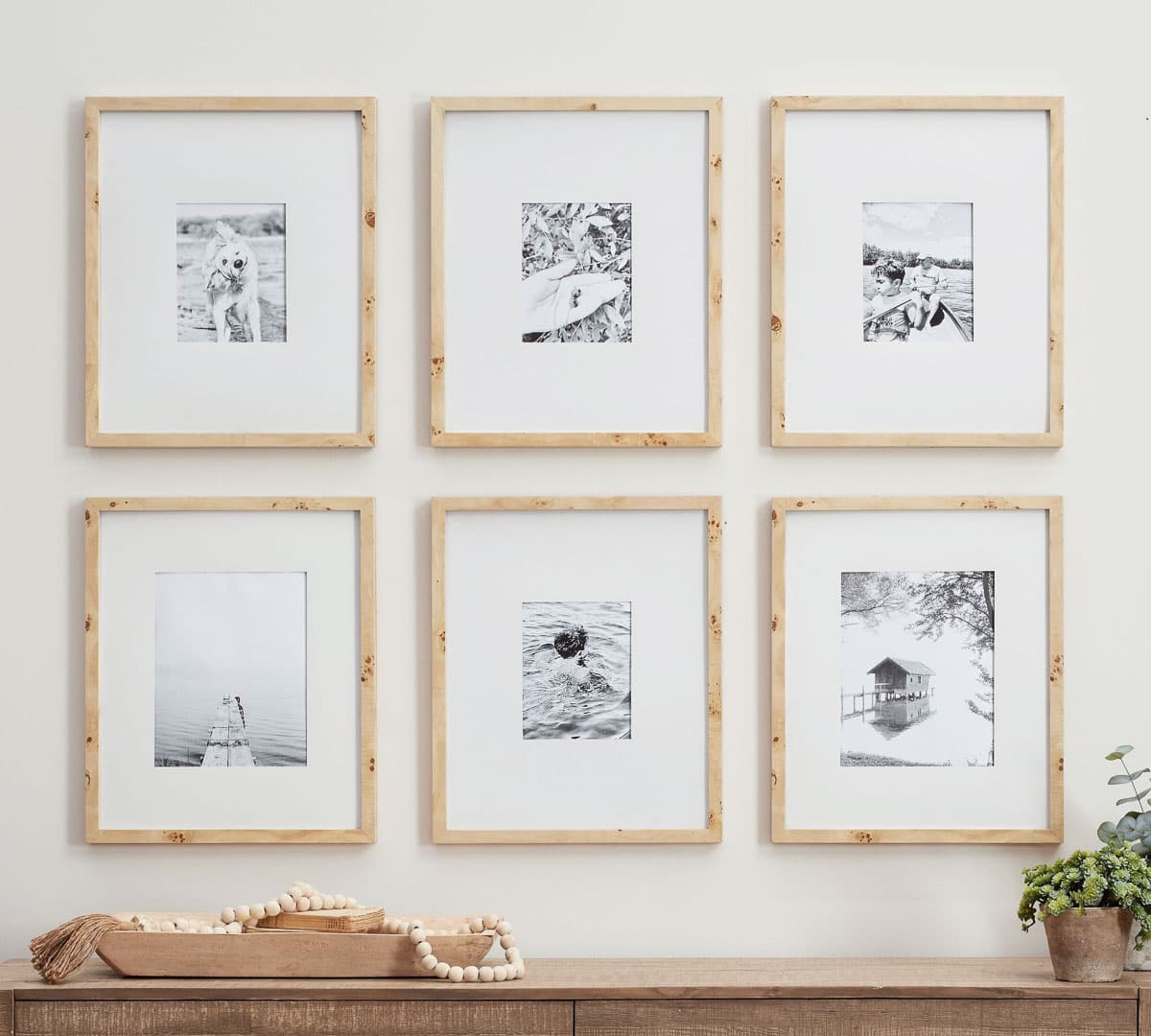
Start by deciding on a small set of mockup scenes that represent your brand. For most print-on-demand shops selling wall art and digital prints, three to five mockup styles is enough to cover your listing needs without overwhelming your process. You might choose two lifestyle scenes, one clean white-wall scene, and one flat lay for variety.
The key is choosing scenes that work across your entire product range. A mockup featuring a small 5x7 frame won't work for your large 24x36 poster prints. A scene with heavy warm tones might clash with designs that use a cool color palette. Think about your full catalog, not just your current bestsellers.
Once you've defined your core set, document them. Give each template a name and note the specific mockup scene, color profile, and any settings that need to be matched each time it's used.
Set Up Templates in Your Batch Tool
With your core mockup set defined, the next step is getting those templates set up inside a batch mockup tool like Mockupanda so that they can be reused reliably. The goal is that anyone on your team, or anyone you add to the team later, can drop a new design file into the same workflow and get the same output without any guesswork.
A good batch mockup tool lets you save your template configurations so you're not rebuilding them every time. You define the scene, the sizing, the positioning, and any text overlays once, and then that configuration becomes the reusable asset your whole team works from. This is where the consistency is actually locked in.
Document the Templates for Your Team
A template library only works if your designers know it exists and know how to use it. Create a simple reference document, even a shared Google Doc is fine, that lists your approved mockup templates, explains when to use each one, and links to the batch tool or folder where the template configurations live.
This document doesn't need to be elaborate. It just needs to exist. A one-page visual guide showing the three approved mockup scenes with a note about which product types they apply to is enough to align a team of five designers.
Takeaway: Define three to five core mockup scenes that represent your brand and work across your full product range. Save them as reusable configurations in your batch tool and document them for your team.
Standardizing File Delivery From Your Designers
Consistency in the final mockup output is easier to achieve when the input files your designers deliver are also standardized. You don't need perfection here, but a few simple guidelines reduce the friction significantly.
Create a File Delivery Spec
A file delivery spec is just a short list of requirements your designers follow when submitting new artwork. It should cover file format (PNG or JPEG), resolution (300 DPI minimum for print), color mode (RGB for digital, CMYK if going to physical print), and aspect ratio or sizing conventions your shop uses.
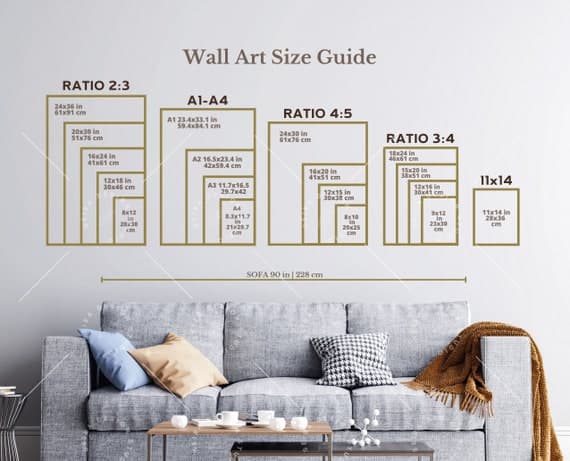
For shops selling digital wall art in standard print sizes, specifying a handful of accepted aspect ratios, 2:3 for standard print sizes, 1:1 for square prints, for example, means your batch mockup workflow can be pre-configured to handle those dimensions without manual adjustment each time. If you're creating mockups for multiple print size variants, having consistent input dimensions makes that process dramatically faster.
Use a Shared Submission Folder
Instead of designers emailing files or dropping them in random Slack channels, set up a shared folder structure where new artwork is submitted. A simple folder system, something like New Submissions, In Progress, and Mockups Done, keeps everyone oriented and prevents files from getting lost or processed twice.
The submission folder also becomes your trigger for the batch mockup process. When new files appear in the submission folder, that's when the batch run happens. This makes the whole workflow feel less reactive and more like a predictable system.
Set Naming Conventions
File naming sounds trivial but it causes real problems at scale. When one designer names files by date, another by color palette, and a third by a design code system they invented themselves, you end up spending time just figuring out what each file is before you can do anything with it.
A simple naming convention like DesignName_AspectRatio_ColorVariant is enough to bring order to the process. The specific format matters less than the fact that everyone is using the same one.
Takeaway: Write a one-page file delivery spec covering format, resolution, and naming conventions. Share it with your designers and build it into your onboarding process for anyone new.
Running the Batch Mockup Process Efficiently
Once your templates are defined and your file delivery is standardized, the actual batch mockup generation becomes a fast, repeatable process rather than a custom job every time.
Assign a Single Point of Responsibility
In multi-designer shops, one of the most common sources of inconsistency is that mockup creation happens wherever and whenever someone gets to it. Assigning a single person as the mockup processor, even if that person is you for now, creates accountability and ensures the same workflow is followed every time.
This doesn't mean one person has to do all the work forever. It means one person owns the process and is responsible for making sure new designs go through the batch tool using the approved templates before they get listed. As your shop grows, this role can be handed off cleanly because the process is documented.
Batch by Collection or Drop, Not by Designer
Rather than processing each designer's files as they come in, collect new submissions and run batches organized by collection or product drop. This approach has two advantages: it's more efficient because you're setting up and running the tool once for a related set of designs, and it naturally encourages cohesion within a collection because all the files go through the same batch configuration at the same time.
If you're already running a high-volume shop, building this kind of repeatable batch mockup workflow means new designs can move from submission to listed in a fraction of the time it would take if each listing were handled individually.
Use Text Overlays for Collection Branding
One underused feature in batch mockup generation is text overlays. If your shop runs seasonal collections or product drops with distinct identities, adding a subtle collection name or tagline to your mockup images through the batch tool creates another layer of visual cohesion across the listings that belong together. Mockupanda supports text overlays natively, which means you can bake this into your batch configuration and apply it across an entire collection in one run.
Takeaway: Designate one person as the mockup process owner, batch by collection rather than by designer, and consider using text overlays to reinforce collection identity across related listings.
Maintaining Consistency as Your Designer Roster Grows
Systems that work for a team of two designers can break down when you add a third, fourth, or fifth. Building some scalability into your consistency system from the start saves you from having to rebuild it later.
Make Onboarding Part of the System
Every new designer who joins your team should receive the same onboarding materials: the file delivery spec, the mockup template reference guide, and a brief walkthrough of how the batch submission process works. This doesn't need to be a formal onboarding program. Even a short Loom video walking through the workflow is enough.
The goal is that a new designer can look at your existing listings and understand exactly how their work will be presented before they submit a single file. That alignment upfront prevents the visual drift that happens when new contributors guess at your standards.
Review New Batches Before They Go Live
Build a brief review step into your workflow before new batch mockups are published. This isn't about micromanaging quality. It's a quick check to catch anything that slipped through, a file that was delivered at the wrong ratio, a design that looks off in the chosen mockup scene, a naming error that needs correction.
A five-minute review of a batch of twenty mockups is a much better investment than discovering a problem after the listings have been live for a week.
Revisit Your Template Library Seasonally
Mockup trends shift. The clean Scandinavian minimalism that felt fresh two years ago might be getting tired in your niche. Lifestyle settings that felt aspirational in one season might not land the same way in the next. Set a reminder to review your core mockup template set at least twice a year, and update your batch configurations when you do.
When you refresh your templates, use the batch tool to update your existing listings too, not just new ones going forward. A consistent shop-wide refresh is much faster than updating listings one at a time, and it keeps your shop looking current without a major time investment.
Takeaway: Build designer onboarding into your system from the start, include a brief pre-publish review step, and schedule a seasonal template review to keep your visual standards current.
The Bigger Picture: Consistency as a Competitive Advantage
It's easy to think of mockup consistency as a housekeeping issue, something that's nice to have but not really driving results. In practice, the shops that invest in consistent presentation see measurable benefits that compound over time.
Buyers Navigate Your Shop Differently
When every listing in your shop shares a visual language, buyers can scan your catalog quickly and identify what appeals to them. They don't have to mentally adjust for different presentation styles as they scroll. That smoother browsing experience keeps them on your shop page longer, and more time on page generally means more conversions.
Consistent Shops Support Higher Prices
Professional presentation is one of the strongest signals buyers use to evaluate whether a price is justified. A design presented in a high-quality, consistent mockup that matches the style of the surrounding shop feels like it belongs in that shop. A design that looks out of place visually creates doubt, and doubt is the enemy of a purchase decision.
Building a batch mockup system that maintains visual consistency across your shop is, functionally, a pricing strategy. It's how you make sure the quality of your presentation matches the quality of your designs.
It Lets Your Team Scale Without Chaos
The real payoff of a well-built batch mockup system comes when your shop grows. If you add three new designers next quarter and your submission folder, file spec, and batch template library are already in place, those designers can start contributing immediately without disrupting your shop's visual consistency. You don't have to choose between growth and quality. The system handles both.
Mockupanda is built specifically for this kind of workflow: fast, bulk mockup generation that lets you apply consistent templates across large sets of designs without starting from scratch each time. If your shop is at the point where multiple contributors are adding complexity to your process, it's worth taking an hour to build the system described in this post.
Takeaway: Frame consistency as a competitive advantage and a pricing asset, not just a visual preference. A shared batch mockup system is one of the highest-leverage investments you can make in your shop's professional presentation.
Putting It All Together
Managing multiple designers doesn't have to mean managing visual chaos. The batch mockup generation workflow described here, defining a shared template library, standardizing file delivery, batching by collection, and building onboarding into the system, gives you a structure that scales cleanly as your shop grows.
The key insight is that consistency doesn't come from controlling every decision your designers make. It comes from building a downstream system that standardizes how their work gets presented, regardless of who created it or when it was submitted. When that system is in place, every new design that enters your shop looks like it belongs there.
Start with your template library. Pick three to five mockup scenes that represent your shop's visual identity, save them as reusable configurations in your batch tool, and document them for your team. Everything else builds from there.
Keep reading
How to Create Mockups for 10 Print Size Variants of the Same Design in One Batch Without Starting Over Each Time
How to Batch Generate Mockups for an Entire Product Collection and Upload Them to Etsy in One Sitting