How to Use Mockupanda's Free Plan to Validate Your First Wall Art Niche Before Spending a Penny on a Subscription
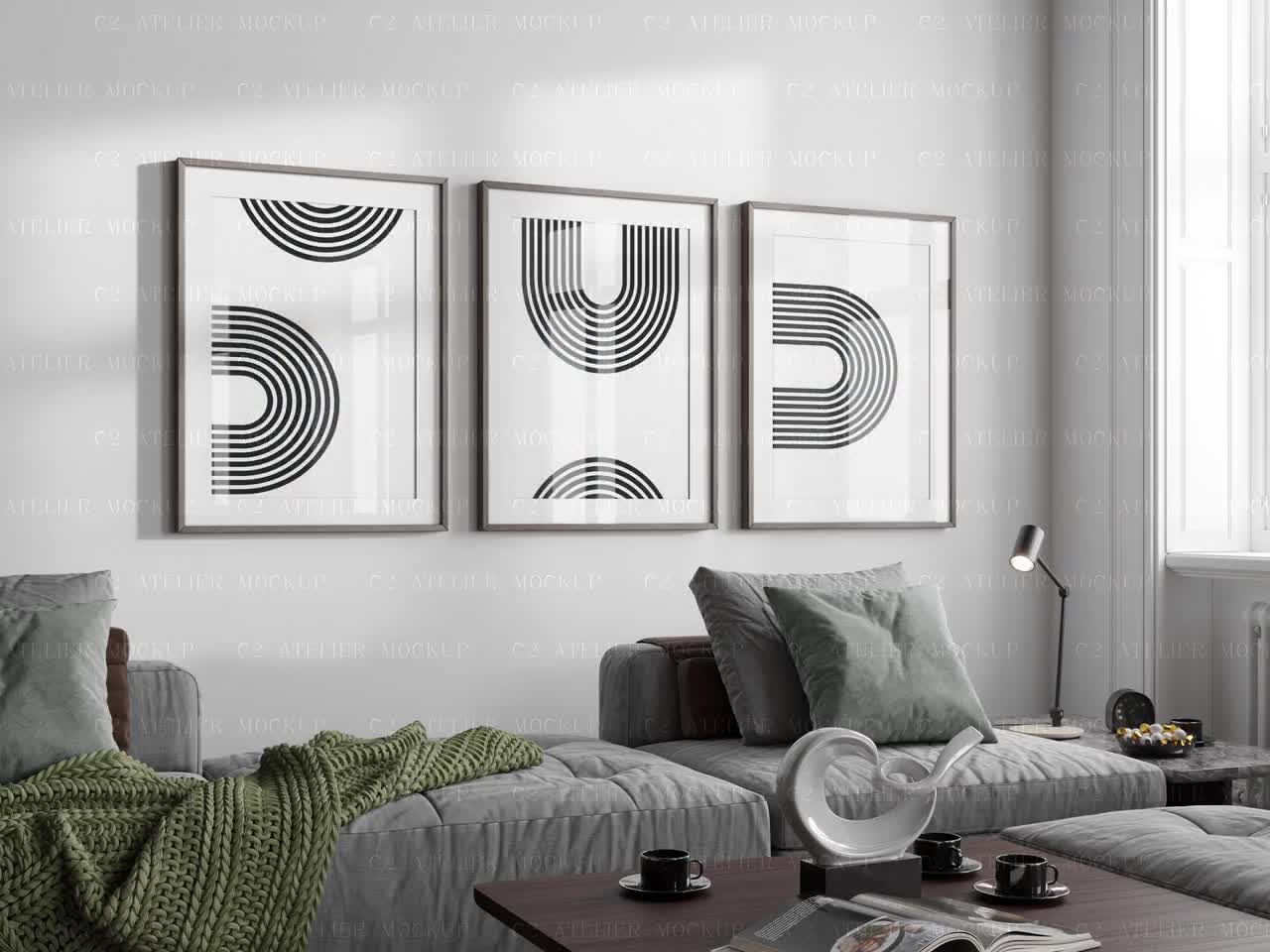
Starting a wall art shop on Etsy feels like low risk until you realize you have spent three weekends designing, photographing, and listing twelve products in a niche that gets zero traction. The real cost of launching blind is not the subscription fee you paid for a mockup tool. It is the hours you will never get back.
The smarter move is to validate the niche first, and Mockupanda's free plan gives you everything you need to do exactly that. You get unlimited watermarked mockups, real-time rendering in the browser, and access to the full template library without entering a credit card. This post is a complete framework for using that free access as a research and validation tool before you commit to anything.
What Niche Validation Actually Means for Wall Art Sellers
The word "validation" gets thrown around a lot in startup culture, but for an Etsy wall art seller it has a very specific meaning. You are not trying to prove that people buy wall art generally. Obviously they do. You are trying to answer a narrower question: will buyers who are searching on Etsy right now pay for this specific style, subject matter, and price point, from a shop with no reviews?
That question has two parts. First, is there search demand? Second, can you present the product well enough to convert that demand? The first part is a research problem. The second part is a presentation problem, and that is where mockups come in.
Why Presentation Is Part of Validation
A lot of sellers treat mockups as a finishing touch, something you add after you have decided what to sell. But in a visual marketplace like Etsy, presentation is not separate from product viability. If you cannot show the product in a way that makes buyers confident, you will never know whether the niche had potential or whether the listing just looked unprofessional.
This is why running a validation experiment with low-quality or missing mockups gives you bad data. If your test listing gets no clicks, you cannot tell whether the niche is dead or whether the thumbnail looked amateurish. You need good enough presentation to isolate the niche signal.
What "Good Enough" Looks Like at the Free Tier
Mockupanda's free plan produces watermarked mockups, which means you cannot use them directly as final listing images. But they are more than good enough for the validation phase. You can use them to evaluate composition, color contrast, and whether the artwork reads well at thumbnail size. You can share them with potential buyers in online communities to get qualitative feedback. And once you decide a niche is worth pursuing, upgrading to a Starter plan at $48 per year gives you 700 downloads per month, which is plenty for scaling a validated concept.
The key insight is that the free plan is not a limitation. It is a structured way to do real work without financial commitment.
Takeaway: Define your validation goal before you start. You are trying to answer one question: does this niche have enough demand and enough room for a new shop to compete? Keep that question in front of you through every step below.
Step One: Picking a Niche Worth Testing
Before you open Mockupanda and start uploading designs, spend time on niche research. The mockup tool is only useful if you are testing a niche that has a realistic chance of working.
How to Read Etsy Search Data Without Paid Tools
You do not need a paid analytics tool to get useful signals from Etsy. The platform's own search interface tells you a lot if you know what to look for.
Start by typing your potential niche into the Etsy search bar and watching the autocomplete suggestions. Those suggestions reflect real search volume. If Etsy is suggesting "botanical wall art set of 3" as a completion, buyers are typing that phrase. If it is not suggesting anything meaningful, the niche may be too narrow or too obscure.
Next, look at the number of results for your search term. A niche with 5,000 results is competitive but proven. A niche with 200,000 results may be too saturated for a new shop to get visibility. The sweet spot is usually somewhere in the middle, with enough competition to confirm demand but not so much that you are invisible.
Finally, look at the listing images of the top sellers. Are they using lifestyle mockups? Flat lays? Plain white backgrounds? This tells you what the visual standard is in that niche, and whether you can meet or exceed it with free tools.
Narrowing From a Category to a Testable Concept
Wall art is a category, not a niche. "Minimalist mountain line art" is closer to a niche. "Minimalist mountain line art in earth tones for living rooms" is a testable concept. The more specific you are, the cleaner your validation data will be.
A good testable concept has three components: a subject (mountains, botanicals, abstract shapes), a style (minimalist, maximalist, vintage, modern), and a context (nursery, home office, kitchen, bedroom). When all three are specific, you can search Etsy and quickly see how many sellers are already serving that exact combination.
Takeaway: Do not start creating designs until you have a testable concept with all three components. Write it down. Every design decision you make should serve that concept, not drift away from it.
Step Two: Creating Your Test Designs
Once you have a testable concept, you need a small set of designs to validate it. Small means three to five designs. Not twenty. Not two. Three to five gives you enough variety to see whether the concept lands across different executions without wasting time on a concept that fails at the first design.
Keeping Designs Simple Enough to Read as Thumbnails
The single most common mistake new wall art sellers make is creating designs that look great at full size but turn into noise at thumbnail size. On Etsy, your listing image is roughly 170 by 135 pixels in search results. Every design decision should survive that scale.
High contrast between the artwork and the background reads well at small sizes. Fine detail does not. Intricate typography that requires zooming to read will lose you clicks. A single bold botanical shape with clean negative space will catch attention in a grid of competing listings.
When you upload your design to Mockupanda and see it rendered on a wall in a lifestyle scene, zoom your browser out or shrink the preview window to simulate what the mockup will look like as a thumbnail. If the art disappears into the background of the room scene, the design or the template choice needs adjustment.
Choosing Templates That Match Your Niche Context
Mockupanda's template library covers a wide range of room contexts, from bright Scandinavian living rooms to moody dark-wall gallery setups. The template you choose should match the buyer persona you identified in your niche research.
If you are selling nursery wall art, a gallery wall in a soft, well-lit child's bedroom is more relevant than an industrial loft scene. If you are selling office wall art, a clean desk setup with the print visible in the background speaks directly to your buyer's context.
Use the editor's drag-and-drop upload to place your design on several different templates and compare the results. The free plan lets you do this unlimited times. You are not downloading yet, just experimenting. Look for the template that makes your design feel intentional and at home rather than pasted in.
Takeaway: Create three to five designs and test each on at least two or three different templates before deciding which combinations to take forward. The goal is to find the template and design pairings that make your concept look like it belongs in a real home.
Step Three: Running the Validation Experiment
Now you have designs and mockups. The validation experiment is about getting real feedback before you invest in a paid plan or spend hours building out a full shop.
Using Communities for Qualitative Feedback
Etsy seller communities on Reddit, Facebook Groups, and Discord are full of people who will give you honest feedback on listing images if you ask properly. Do not ask "what do you think of my shop?" Ask specific questions: "Does this mockup look like something you would stop scrolling for?" or "Does this feel like a $20 print or a $40 print?"
The watermark from the free plan does not disqualify you from this kind of feedback. Explain that you are in the research phase and you are testing whether the concept has visual appeal before listing. Most communities respect that transparency.
You can also post in buyer-oriented communities relevant to your niche. If you are selling home office art, interior design communities are full of potential buyers who will tell you whether your style fits their taste.
Building a Minimal Etsy Listing Without a Paid Plan
You can create an Etsy listing without publishing it, which means you can draft the full listing including title, description, tags, and price without paying the $0.20 listing fee. Use this to pressure-test your SEO strategy alongside your visual strategy.
Write the listing title and tags as if you were going to publish it today. Check whether the keywords you are targeting appear in your title naturally. Look at the character count on your description and whether it answers the questions a buyer would have.
Holding the full draft listing in your head while looking at the mockup helps you see whether everything is coherent. A minimalist design paired with cluttered, keyword-stuffed copy creates a mixed signal. Your presentation strategy should be consistent end to end.
Takeaway: Treat the validation experiment as if you were launching for real, but stop short of actually publishing. The discipline of building out a full listing draft will surface problems you would otherwise only discover after you have invested in a paid plan and scaled a concept that was never quite right.

Step Four: Reading the Signals and Making the Call
After you have run the experiment, you will have qualitative feedback from communities, a sense of the competitive landscape from your Etsy research, and a set of mockups that show you whether the concept presents well. Now you need to interpret what you have.
Green Lights Worth Acting On
Positive signals include: community members asking where they can buy the product, feedback that the price point feels justified by the presentation, mockups that hold up at thumbnail scale, and a search landscape where the top sellers have obvious weaknesses you can address (poor mockup quality, limited style range, no sets or collections).
If you are seeing two or three of these signals, that is a reasonable basis for moving forward. No validation experiment gives you certainty. What you are looking for is enough confidence to justify the next step, which is upgrading to a paid plan and creating a full collection.
Red Lights Worth Respecting
Negative signals include: feedback that the style feels dated or generic, a search landscape dominated by a handful of huge shops with thousands of reviews, mockups that make the art look smaller or cheaper than you intended, and community feedback that the price point feels high relative to what similar work sells for.
These signals do not mean wall art is the wrong category. They mean this specific niche or execution is not ready. Go back to step one, pick a different concept, and run the experiment again. The free plan lets you do this as many times as you need.
Takeaway: Give yourself a decision deadline. After two weeks of validation work, make the call: move forward, pivot the concept, or test a different niche entirely. The free plan is a tool for making that decision faster, not for postponing it indefinitely.
Making the Upgrade Decision When the Time Comes
If your validation experiment produces positive signals, the path forward is clear. Upgrade to the Starter plan at $48 per year, which gives you 700 downloads per month and removes the watermark. That is enough capacity to build out a full collection across multiple designs and template variations.
What You Get When You Upgrade
The Starter plan's 700 monthly downloads lets you create comprehensive listing image sets for dozens of products. If you are selling sets of three or four prints, and you want three to four mockup variations per listing, 700 downloads gives you enough coverage for roughly 50 to 60 active listings per month with room to add new designs regularly.
For sellers who want to scale further, the Pro plan at $84 per year offers unlimited downloads and priority support. If you are running a high-volume shop or testing new niches continuously, the unlimited tier removes the math of rationing downloads across your catalog.
Mockupanda also offers a Lifetime plan at $129 as a one-time purchase, available for a limited time. If you know you are going to use the tool long-term, the lifetime option works out significantly cheaper than annual renewals.
Applying Bulk Generation to a Validated Concept
One of the advantages of having validated your niche before upgrading is that you know exactly which template and design combinations work. You are not experimenting anymore. You are executing. Mockupanda's bulk mockup creation feature lets you upload one design and apply it across dozens of templates in a single session, which means you can build out an entire collection's listing images in the time it used to take to do one product.
This is where the validation work pays off. Instead of generating hundreds of mockups across templates that may not fit your niche, you are generating precisely the combinations you already know convert.
Takeaway: The upgrade decision should feel easy because the validation work has already reduced the risk. When you know the niche works and you know which templates present your designs best, paying $48 a year to remove the watermark and access bulk generation is not a leap of faith. It is just the next logical step.
Putting It All Together
The framework in this post is simple but it asks something of you that most new sellers skip: the discipline to test before you commit. The free plan on Mockupanda is not a stripped-down version of the real product. It is a genuine research tool that lets you do meaningful work at zero cost.
Here is the sequence in plain terms. Pick a testable concept with subject, style, and context clearly defined. Create three to five designs. Test them on multiple templates in the editor. Use the watermarked outputs to gather community feedback. Draft a full Etsy listing to pressure-test your SEO and pricing. Read the signals honestly. Make a decision within two weeks.
If the signals are positive, upgrade and build. If they are not, iterate. The whole loop can run in a weekend of focused work. Compare that to the alternative: three months of designing, listing, and promoting a niche that was never going to work, all because you never stopped to ask whether the evidence supported moving forward.
The sellers who build sustainable Etsy businesses are not the ones who launch the most products. They are the ones who validate before they scale. The free plan gives you the tool to be that kind of seller from day one.
Keep reading
Shopify Mockup Generator: How to Push Bulk-Generated Listing Photos Directly to Your Shopify Store Without Manual Uploads
How to Build a Gallery Wall Mockup That Sells a Diptych or Triptych Set as a Bundle on Etsy